Moodle Theme & Branding Update: A Smarter, Sleeker LMS Experience
·
We’re excited to announce a complete Moodle theme redesign and branding update, bringing you a smarter, sleeker, and more user-friendly Learning Management System (LMS) experience. This update isn’t just cosmetic – it’s part of our commitment to delivering an intuitive, engaging, and efficient digital learning environment.
🌟 Why We Updated Our Moodle Theme
In today’s fast-paced eLearning landscape, your LMS design and user experience are just as important as the content. Our new Moodle UI update focuses on:
-
Enhanced mobile responsiveness
-
Simplified LMS navigation
-
Unified brand identity across platforms
-
Faster course access and performance
Our goal? To make learning easier, teaching smoother, and administration more efficient – all with a professional, modern look.
🆕 Key Features of the New Moodle Theme
🎨 Modern, Responsive Design
Our custom Moodle theme now features a clean layout, modern typography, and visually appealing color schemes aligned with our brand. This sleek interface improves focus and minimizes distractions for both learners and educators.
📱 Mobile-Friendly LMS
The new Moodle design is built with mobile-first principles, ensuring seamless access to courses and materials on smartphones and tablets – anytime, anywhere.
⚙️ Improved Navigation & Usability
We’ve streamlined course structures and menus for a more intuitive experience. Whether you’re managing content or participating in discussions, everything is now easier to find and use.
🧩 Custom Branding Integration
Your LMS now mirrors our brand identity more closely, creating a consistent experience from our website to the learning platform. This boosts recognition, credibility, and trust.
🚀 Benefits of the Moodle UX Upgrade
✅ For Students:
-
Faster access to courses and assignments
-
Easier communication with instructors
-
More engaging, distraction-free interface
✅ For Educators:
-
Simplified course management
-
Cleaner dashboard layouts
-
Time-saving navigation tools
✅ For Admins:
-
Easy LMS customization and branding
-
Better performance analytics and reporting
-
Scalable design for future updates
🔮 What’s Coming Next?
This Moodle upgrade is just the beginning. We’re constantly evolving based on user feedback and eLearning design best practices. Stay tuned for new features, performance improvements, and integrations designed to enhance your online learning experience.
Ready to Experience the New Moodle?
Explore the updated interface now and discover how a smarter, sleeker Moodle LMS can transform your digital learning experience.
Get in touch with us to learn how a smarter, sleeker Moodle LMS can transform your digital learning experience.
📞 Contact Us
📧 support@techlearning.com.au
🌐 www.techlearning.com.au/contact
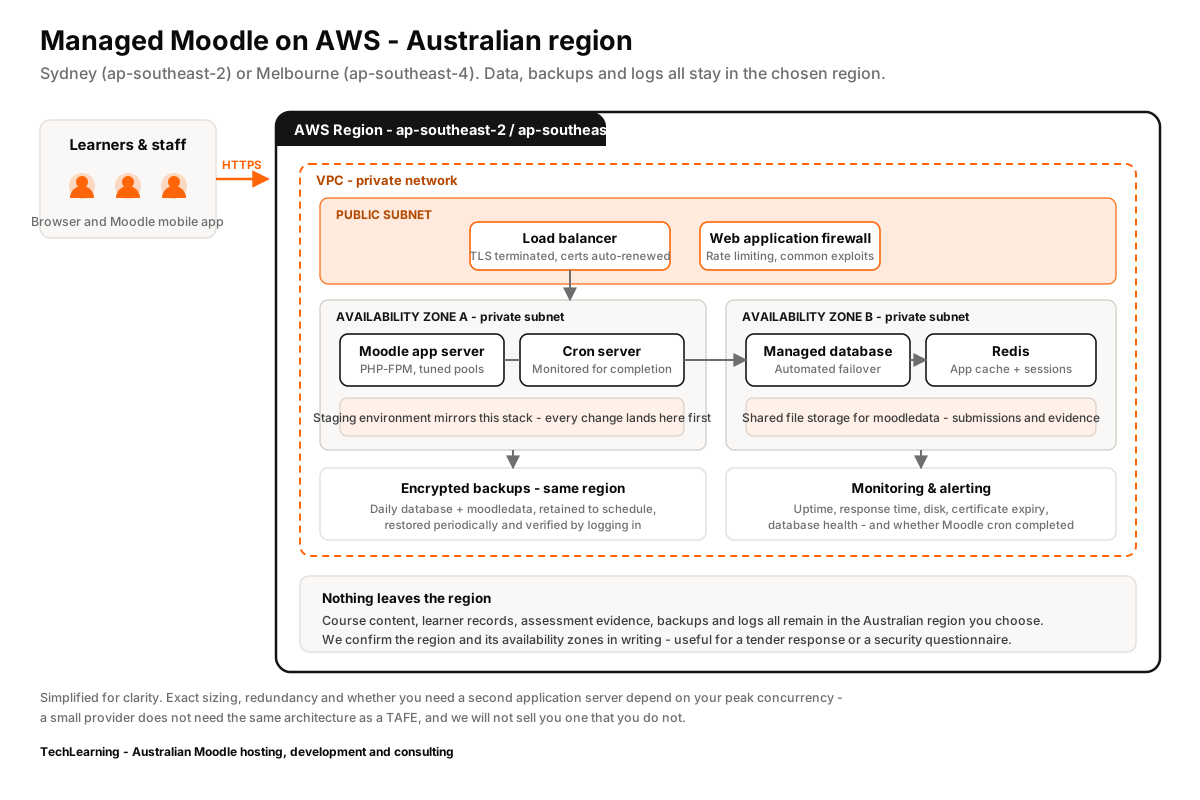
Doing this without breaking upgrades
Build a Boost child theme rather than a from-scratch theme. A child theme inherits core’s accessibility and layout fixes automatically at every release; a from-scratch theme means you inherit every future core change as manual work, forever.
The same rule applies to core file edits – never make them. See how we approach theme and interface work, and why we will usually talk you out of a full custom theme.